QR Code In Receipt
Add links like QR Code directly on the receipt
Sobre la integración QR Code In Receipt con Poster POS
QR Code In Receipt is a simple and effective tool for communicating with your guests. The app allows you to generate a QR code with any link or text and automatically add it to every pre-check printed from your Poster POS. It’s the perfect way to collect reviews, offer a digital menu, or redirect customers to your social media or a tipping service.
How to start?
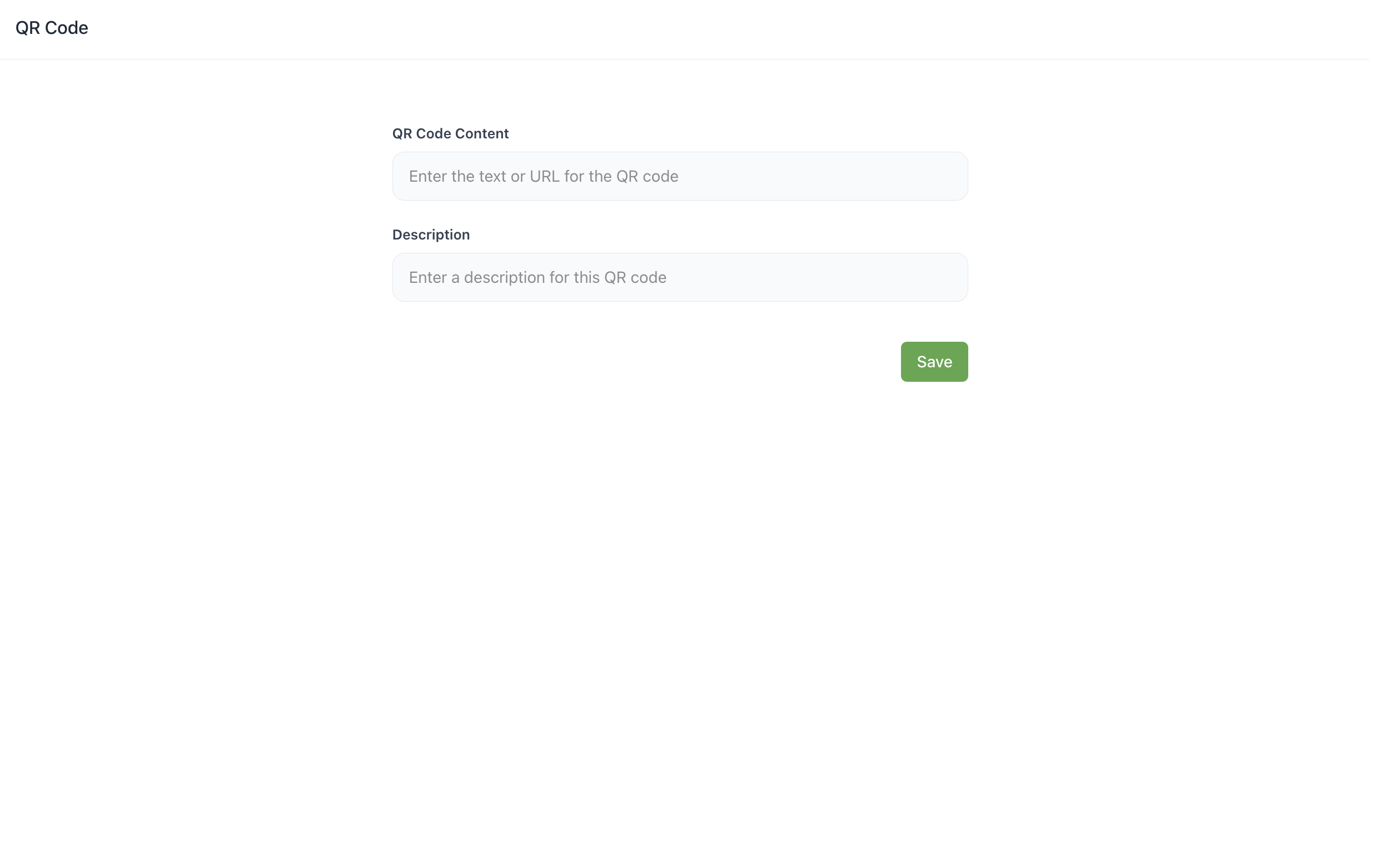
1️⃣ Enter the required link (URL) or text in the "QR Code Content" field
2️⃣ Add a description for internal reference
3️⃣ Click "Save"
QR Code Use Cases:
✔️ Reviews: Add a link to Google Maps or TripAdvisor so guests can leave feedback in one click.
✔️ Digital Menu: Allow guests to browse your full menu or seasonal offers online.
✔️ Loyalty Program: Place a link to the registration form for your bonus system.
✔️ Cashless Tips: Redirect guests to a platform for digital tipping.
Why is it convenient?
✦ Versatility — change the QR code content at any time via the admin panel.
✦ Speed — the QR code is automatically added to the pre-check print template.
✦ Zero-cost Marketing — use paper checks as an additional advertising space.
FAQ:
✦ What data can be encoded in the QR? Any website link, social media profile, survey, or a simple block of text.
✦ Will the QR code appear on the receipt automatically? Yes, after saving the settings in the app, the QR code will be printed on all pre-checks in your establishment.
✦ How many QR codes can I create? You can have one active QR code for printing, but you can update its content as many times as you need.
Sobre la aplicación
- Categoría
- Numero de instalaciones250+
Capturas de pantalla